
Draw Your Font vs Alternatives: Best Font Creation Tools in 2026
'Draw Your Font' offers a unique, privacy-focused approach to font creation. Compare it with other tools to determine the best fit for your needs.

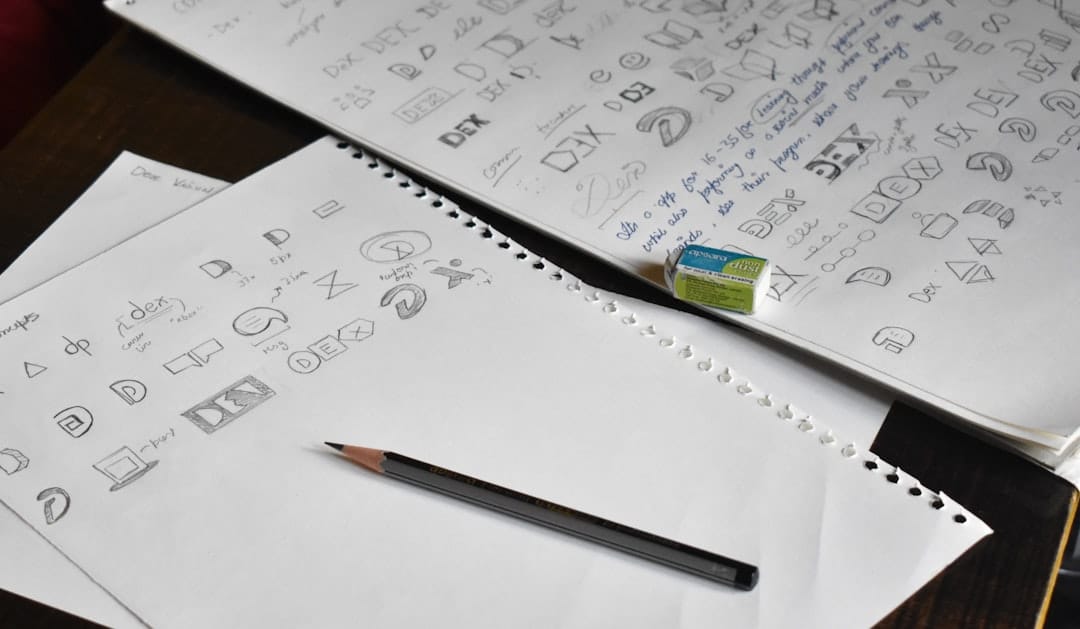
Draw Your Font vs Alternatives: Best Font Creation Tools in 2026
In the digital age, the ability to customize and personalize digital content is invaluable. 'Draw Your Font' offers a unique solution by allowing users to convert a photo of their handwriting into a font without needing to upload files. But how does it stack up against other font creation tools available in 2026?
This comparison delves into 'Draw Your Font' and its alternatives, evaluating their strengths, weaknesses, and ideal use cases to help you make an informed decision.
Key Takeaways
- 'Draw Your Font' is ideal for those prioritizing privacy and offline functionality.
- Alternative tools might offer more features but could require online processing.
- Consider community size and support when choosing a tool.
- Pricing is a crucial factor, with 'Draw Your Font' being free and open source.
- Each tool offers unique strengths suited to different needs.
Creating your own font can add a personalized touch to your digital projects. Whether you want to preserve your handwriting or invent a unique typeface, choosing the right tool is essential. In 2026, several tools offer distinctive features for font creation, from offline processing to expansive customization options.
'Draw Your Font' stands out as a free, open-source tool that emphasizes privacy by processing images locally. However, there are other tools worth considering, each with its own set of capabilities and limitations. This guide will compare 'Draw Your Font' with its leading competitors to provide a comprehensive overview of what each tool offers.
Quick Comparison Table
| Feature | Draw Your Font | Alternative 1: FontForge | Alternative 2: Glyphs |
|---|---|---|---|
| Price | Free | Free | $249.99 |
| Offline Functionality | Yes | Yes | No |
| Community Support | 302 GitHub Stars | 5000+ GitHub Stars | Large User Forum |
| Ease of Use | Medium | Advanced | Beginner Friendly |
| Output Formats | TTF, WOFF, WOFF2 | TTF, OTF, SVG | TTF, OTF |
Draw Your Font
'Draw Your Font' is a Node CLI tool designed for transforming photos of handwriting into digital fonts. With a focus on user privacy, it processes data locally, eliminating the need for uploads. This makes it a great choice for privacy-conscious users who may be wary of cloud-based services.
Strengths
- Completely free and open source.
- Processes images locally, ensuring user privacy.
- Supports multiple font formats (TTF, WOFF, WOFF2).
Weaknesses
- Requires some technical knowledge to use the CLI.
- Limited community size compared to more established tools.
- Lacks advanced editing features found in premium tools.
Best Use Cases
- Users looking to quickly convert handwriting to fonts without sharing data online.
- Developers interested in open-source projects.
Pricing
As an open-source project, 'Draw Your Font' is free to use.
Code Example
node draw-your-font.js --input path/to/image.jpg --output my-font.ttfAlternative 1: FontForge
FontForge is a well-established, free font editor with a wide range of features for creating and modifying fonts. It supports various font formats and provides a robust set of tools for more advanced font design.
Strengths
- Rich feature set for advanced font creation.
- Strong community support with extensive documentation.
- Supports a wide array of font formats.
Weaknesses
- Steeper learning curve due to its complexity.
- User interface can be overwhelming for beginners.
Best Use Cases
- Advanced users looking for comprehensive font editing capabilities.
- Designers needing to create professional-grade fonts.
Pricing
FontForge is free and open-source.
Code Example
fontforge -script create-font.pe path/to/design.svgAlternative 2: Glyphs
Glyphs is a premium font creation tool known for its user-friendly interface and powerful features tailored for designers. It offers advanced functionalities like variable fonts and color fonts, albeit at a cost.
Strengths
- Intuitive interface suitable for beginners.
- Advanced features like variability and color fonts.
- Strong community with extensive support resources.
Weaknesses
- Costly compared to free alternatives.
- Requires an internet connection for some features.
Best Use Cases
- Professional designers looking for a powerful yet easy-to-use tool.
- Projects that require cutting-edge font features.
Pricing
Glyphs costs $249.99 for a single license.
Code Example
glyphsapp --open path/to/glyphsfile.glyphs --export path/to/output.ttfWhen to Choose 'Draw Your Font'
Consider 'Draw Your Font' if you prioritize privacy and need a straightforward, cost-free solution for converting handwriting into digital fonts. It's particularly suitable for tech-savvy individuals who can navigate command-line interfaces.
Final Verdict
For privacy-focused users or those on a budget, 'Draw Your Font' is an excellent choice. However, if your project requires advanced editing capabilities and professional-grade fonts, FontForge or Glyphs may be more appropriate. Ultimately, your choice will depend on your specific needs, technical expertise, and budget.
Frequently Asked Questions
What is 'Draw Your Font'?
'Draw Your Font' is a Node CLI tool that converts photos of handwriting into font files like TTF, WOFF, and WOFF2 without requiring uploads.
Is 'Draw Your Font' free to use?
Yes, 'Draw Your Font' is completely free and open source, making it accessible to everyone.
Which is better, FontForge or Glyphs?
FontForge is better for advanced users seeking comprehensive features, while Glyphs is more suitable for beginners and professional designers.